
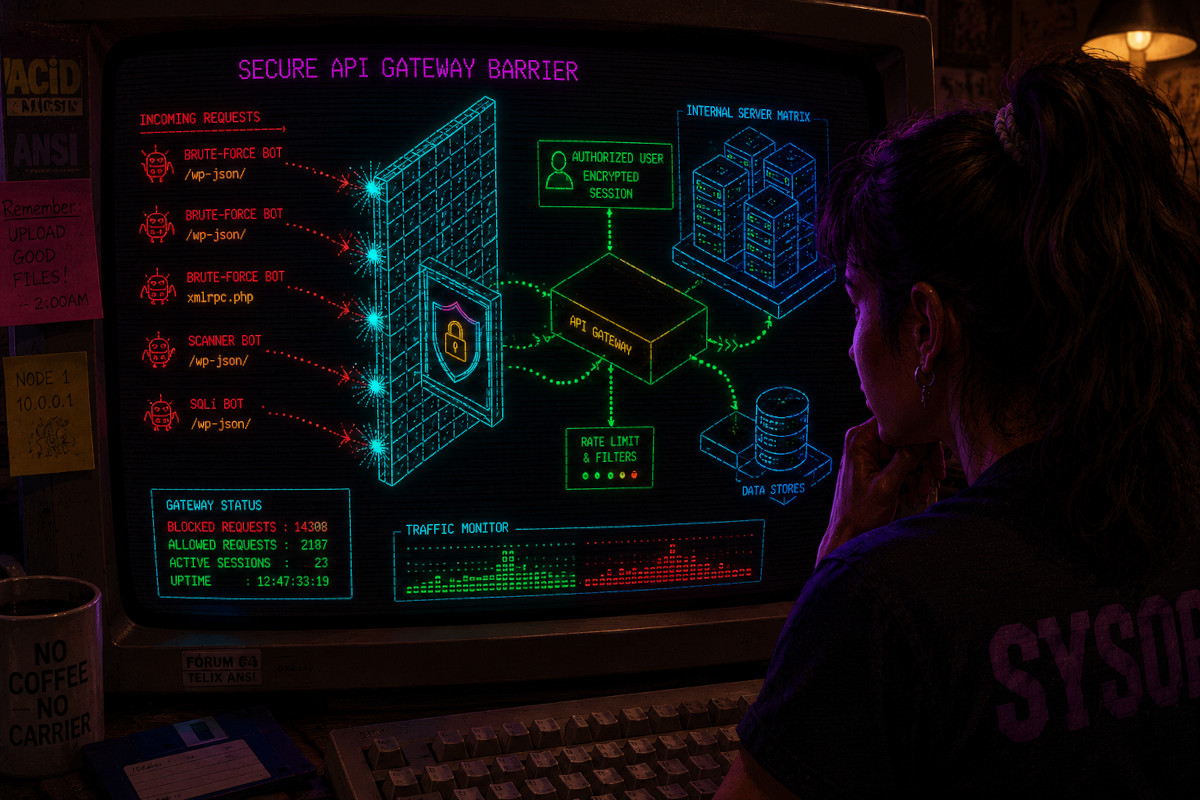
The WordPress REST API is enabled by default since version 4.7.0, and it powers everything from the Gutenberg editor to WooCommerce order sync. Locking it down without breaking your site requires precision. This guide walks through the real exploit patterns targeting /wp-json/ and xmlrpc.php, explains why security plugins struggle under flood conditions, and provides a concrete blueprint for edge-first defense using Atomic Edge.
Key Takeaways
- Completely disabling the REST API or xmlrpc.php breaks wordpress core features (Gutenberg, mobile apps, WooCommerce REST endpoints, headless front-ends). Leaving them open invites brute force attacks, user enumeration, and denial of service attacks.
- On-server security plugins process malicious api calls inside PHP, consuming CPU and RAM before blocking anything. An edge WAF like Atomic Edge can rate-limit and filter api requests before they touch your wordpress installation.
- A multi-layered approach is essential to secure the WordPress REST API effectively: authentication hardening, IP reputation, geo filtering, ip whitelisting, and fine-grained rate limiting per api endpoint and HTTP method.
- Concrete configurations for safely hardening /wp-json/ and xmlrpc.php can be deployed in under 2 minutes using Atomic Edge’s A/CNAME onboarding, paired with optional server-level and code-level techniques.
The REST API & XML-RPC Dilemma in Modern WordPress
API stands for application programming interface. REST, or representational state transfer, is an architectural style that provides a standardized way for applications to exchange data over HTTP. When WordPress 4.7 shipped in December 2016, the wp rest api became core infrastructure rather than an optional add-on. REST API allows CRUD operations on wordpress content: creating posts, reading users, updating custom post types, and the ability to delete content. Data is exchanged in json format, specifically javascript object notation, making integration with external applications straightforward. Every modern wordpress site depends on these endpoints for the block editor, mobile apps, and any headless setup.
Contrast this with xmlrpc.php, a php file that predates the REST API by years. It remains required by some older mobile apps, certain Jetpack features, and legacy remote publishing tools. Blanket blocking strategies (returning 403 for all /wp-json/ routes or banning xmlrpc.php in the htaccess file) break real-world use cases: Gutenberg autosaves fail, WooCommerce order webhooks drop, and native WordPress iOS/Android apps lose connectivity.
The symptoms are familiar: CPU spikes during bot floods on wp json endpoints, hosting overage bills from abusive http requests, and login attempts funneled through xmlrpc.php’s system.multicall method. The goal is to let legitimate API clients (mobile apps, CRMs, woocommerce store integrations) work normally while constraining attack traffic at the edge.

The Anatomy of WordPress API Exploits: xmlrpc.php & /wp-json/
Attackers favor machine-friendly, scriptable vectors. Both xmlrpc.php and rest api endpoint paths accept structured payloads that can be automated at scale with minimal effort.
xmlrpc.php system.multicall abuse. A single HTTP POST to xmlrpc.php can contain hundreds of login attempts bundled inside a system.multicall XML payload, each testing different valid wordpress user credentials against methods like wp.getUsersBlogs. One documented case recorded 288,493 POST requests to xmlrpc.php in 24 hours from a single IP, each request carrying hundreds of credential pairs. This amplification makes xmlrpc.php a persistent vector for brute force attacks even in 2026.
User enumeration via /wp-json/wp/v2/users. The wordpress rest api allows public read access to certain endpoints by default. API endpoints represent resources like posts and users, and the json wp v2 users route exposes login usernames to unauthenticated users. CVE-2025-4302 demonstrated that even a wordpress plugin designed to block this enumeration could be bypassed via URL-encoding the path. Restrict public access to the default user enumeration endpoint to prevent brute-force attacks.
Reconnaissance via route discovery. The /wp-json/ index lists every registered REST namespace, including plugin-specific api routes. Attackers fingerprint installed plugins, identify known CVEs, and target vulnerable endpoints. REST API endpoints can expose user data if unsecured.
Resource exhaustion. Unauthenticated GET rest api requests on heavy endpoints (complex WooCommerce product queries, large search results) create server load identical to denial of service attacks. Securing the WordPress REST API exposes core data structures and endpoints publicly by default, and this openness is a security risk when left unguarded.
Why On-Server Blocking and Security Plugins Struggle Under API Floods
The request lifecycle runs: DNS, CDN/edge, web server (Nginx/Apache), PHP-FPM, WordPress bootstrap, then plugins and themes. Most security plugins operate at the tail end of this chain, inside PHP memory.
During high-volume floods targeting /wp-json/ or xmlrpc.php, every malicious request consumes server resources (CPU, PHP workers, database connections) before plugin-level defenses execute. The result: slow TTFB, 502/503 errors, or complete origin failure. One case study showed cache hit ratio collapsing from the expected 70-90% down to 0.8% under sustained xmlrpc.php abuse, because every POST bypassed cache and hit PHP.
PHP-based rate limiting stores counters per IP address in transients, options tables, or custom database rows. Under a flood of thousands of rest api requests per minute, those read/write operations themselves become a bottleneck. Even caching plugins like wp rocket cannot help when every request is a unique POST that bypasses the page cache entirely.
Apache or Nginx rules are faster than PHP but remain coarse. They can block a path or restrict access by IP, but they cannot inspect request bodies (to detect system.multicall payloads), distinguish authenticated requests from anonymous ones, or apply per-method rate limiting without complex custom configurations. Input validation prevents harmful data submissions via api endpoints, but that validation runs inside WordPress, after resources are already consumed.
Protecting a wordpress site from REST API vulnerabilities requires a layered defense approach. On-server controls remain valuable as a second line, but the heavy filtering belongs at the edge, where bad api calls never reach origin CPU or disk.
Edge-First API Defense with Atomic Edge: Rate Limiting & Payload Inspection
Atomic Edge is an edge WAF that sits between the internet and WordPress, connected via a simple A or CNAME record update. No nameserver transfer is required. All http requests flow through globally distributed edge nodes before reaching the origin.
At the edge, Atomic Edge uses Coraza with an OWASP Core Rule Set to parse and inspect request payloads for known attack signatures (SQLi, XSS, path traversal, JSON injection) inside REST API request bodies and xmlrpc.php XML payloads. HTTPS ensures all REST API traffic runs exclusively over TLS to protect sensitive data. Using SSL/TLS encrypts api requests and responses in transit, and all authenticated API traffic should use TLS to protect sensitive information.
Path-aware, method-aware rate limiting. Atomic Edge applies distinct policies per endpoint and HTTP method: strict limits on POST to /wp-json/wp/v2/users or xmlrpc.php, moderate limits on authenticated POST actions, and relaxed or no limits on public GET content endpoints. IP reputation, ASN, and geo location data feed behavior-based throttling that identifies botnet sources before they generate load.
Per-path page rules, geo filtering (restrict admin APIs to countries where your team operates), WAF logs with REST API visibility, and CVE-aware virtual patching for vulnerable plugin endpoints all run at the edge. Monitor API traffic to detect unusual activity and protect against abuse. Monitoring REST API activity helps identify authentication failures and unusual request patterns, and Atomic Edge’s analytics admin dashboard surfaces these in real time.
This edge-first approach reduces origin load during abusive traffic patterns and allows more forgiving on-server configurations without sacrificing security.

Securing xmlrpc.php Without Breaking Legacy Integrations
XML-RPC is largely deprecated in favor of REST, but many environments in 2026 still rely on xmlrpc.php. Deleting the file is not a safe answer if older mobile apps, some Jetpack modules, or custom legacy clients depend on it.
A layered policy works best: fully block xmlrpc.php at the edge for most traffic, then carve out narrow allow rules by IP address range, user agent, or authentication state for known-good clients. IP whitelisting restricts API access to specific addresses. Whitelisting IP addresses restricts access to trusted clients only, and this principle applies directly here.
In Atomic Edge, a default WAF rule denies xmlrpc.php requests. An override page rule permits requests from a fixed corporate IP range or a specific mobile app ASN, combined with low rate limits (20-50 requests per hour) and strict bot detection. On the origin server, Apache rules in the htaccess file or Nginx location blocks can deny xmlrpc.php except for allowlisted IPs as a backup.
During transition, use log-only mode in Atomic Edge. Review which ip addresses and methods actually hit xmlrpc.php. Classify callers as trusted or unknown. Once no legitimate traffic appears for several weeks, promote to full block at the edge and deny in local server configuration.
Relying solely on plugin-based “Disable XML-RPC” switches under active attack still allows attackers to exhaust PHP workers and network bandwidth before plugin logic executes.
Hardening /wp-json/ and Sensitive REST API Endpoints
The /wp-json/ root is an index of all REST api routes, valuable to both legitimate clients and attackers performing reconnaissance. Selectively restrict or hide specific sensitive endpoints instead of disabling the entire REST API. Use a least-privilege approach to expose only necessary endpoints and data.
Keep public, cacheable GET endpoints open (e.g., /wp-json/wp/v2/posts for headless front-ends and other websites consuming your content). Force authentication for all non-public REST API requests to prevent data harvesting. Protect user, order, and admin-like operations behind authentication.
To block user enumeration, use the following code pattern at the PHP level:
add_filter('rest_authentication_errors', function($result) {
    if (!is_user_logged_in() && preg_match('#/wp/v2/users#', $_SERVER['REQUEST_URI'])) {
        return new WP_Error('rest_forbidden', 'Access denied', ['status' => 403]);
    }
    return $result;
});
At the edge, Atomic Edge page rules can deny unauthenticated GET requests to json wp v2 paths or apply strict per-IP rate limits. For a woocommerce store, apply stricter WAF sensitivity on /wp-json/wc/v3/ endpoints that modify orders, profiles, or payment data. WooCommerce v10.8 added type validation to its order endpoint, rejecting non-shop_order IDs, but edge controls add an outer defense layer.
Reject oversized JSON payloads on sensitive endpoints. Constrain allowed HTTP methods. Enforce Content-Type checks. Integrate geo filtering for admin-like API paths (allow POST/DELETE only from countries where your operations team is located). Use IP allowlists for machine-to-machine api access with static ip addresses.
Authentication Methods for the WordPress REST API: Choosing Safely
Many REST API attacks succeed because of weak or misconfigured authentication methods and over-privileged API users, not protocol flaws.
Cookie authentication is the default method for REST API access. WordPress uses cookie plus nonce (X-WP-Nonce) for browser-based sessions in wp-admin and Gutenberg. This handles logged in requests safely for same-origin use but does not work for external integrations. A previous authentication check via nonce prevents CSRF in browser contexts.
Basic authentication sends user credentials in the authorization header. Without TLS, those credentials travel in plain text. Never rely on basic authentication with regular user credentials in production. Instead, use WordPress’s built-in Application Passwords (introduced in WP 5.6, December 2020) for programmatic requests instead of master passwords. Each Application Password is tied to a specific user, separately revocable, and avoids exposing the primary account password.
Implement secure token-based authentication via json web tokens or OAuth 2.0 for mobile apps. OAuth is a standard authentication method for delegated access with token expiration and limited scopes. JWT authentication requires a secret key for token validation. Both approaches let you share data with other sites and external services securely.
API key authentication uses a single api key for access control. It is simple to implement, but must be combined with IP restrictions, rate limiting, and logging. Some hosts require htaccess file changes to pass Authorization headers through to PHP.
Ensure every custom endpoint explicitly declares a permission_callback checking user capabilities. Use permission callbacks to enforce capabilities within custom REST API routes. All custom REST endpoints should define a permission_callback to ensure security. Validate and sanitize input rigorously when developing custom endpoints to prevent risks. Sanitize inputs thoroughly to prevent injection risks in REST API requests. Use tools to establish a restricted default mode for api access control on REST API endpoints. A custom authentication check at the endpoint level prevents unauthorized callers from reaching sensitive data or custom data stored in wordpress data types.
Designing Robust Rate Limiting for REST API & XML-RPC
Rate limiting caps the number of api requests per IP address, token, or user over sliding windows. Rate limiting helps defend against brute-force attacks on APIs. Rate limiting helps prevent brute-force attacks on api endpoints, credential stuffing, and scraping.
Concrete policy examples:
Endpoint | Method | Limit | Window | Scope |
|---|---|---|---|---|
/wp-json/wp/v2/users/password-reset | POST | 5-10 | 1 hour | Per IP |
xmlrpc.php (login methods) | POST | 20 | 1 hour | Per IP |
/wp-json/wp/v2/posts | GET | 300 | 5 min | Per IP |
/wp-json/wc/v3/orders | POST/PUT/DELETE | 10-20 | 1 min | Per user |
Per-endpoint and per-method policies are critical. Allow higher GET throughput but enforce much stricter POST/PUT/DELETE rates. Apply different limits for authenticated vs anonymous clients. When limits are exceeded, return a 429 too many requests response.
Application-level rate limiting plugins that use transients or custom tables (like WooCommerce’s wc_rate_limit table) create database writes per request. Under flood conditions on a busy wordpress website, this thrash compounds the attack’s impact. Edge WAF limits avoid that entirely.
Atomic Edge’s rate limiting combines with IP reputation, geo rules, and WAF rules. This enables compound logic: unauthenticated POST to /wp-json/ from high-risk ASNs gets tight limits and aggressive challenge responses. Start with conservative limits in log-only mode. Analyze WAF logs for legitimate client patterns (mobile apps polling intervals, webhook bursts from integrations like a google maps api geocoding service or a CRM). Adjust thresholds to avoid false positives while blocking floods.
Implementing Edge Protection with Atomic Edge in Under 2 Minutes
The onboarding flow: sign up at atomicedge.io, add your site, update a single A or CNAME record at your DNS provider. Traffic begins flowing through the edge WAF without changing nameservers or installing a zip file on your server.
Atomic Edge automatically detects /wp-json/ and xmlrpc.php, applies OWASP rules, and provisions default rate limiting profiles for common wordpress api patterns. A restful api endpoint scan identifies registered namespaces on your site.
Configure page rules in the Atomic Edge dashboard: create rules matching paths like /wp-json/ and /xmlrpc.php, set WAF sensitivity to high, enable strict bot protection, and define custom rate limits. For a specific user role or integration, set IP-based controls to restrict access to management endpoints (e.g., /wp-json/myplugin/v1/admin/) to office IPs or VPN ranges.
Engineers should rely on Atomic Edge’s WAF logs and analytics dashboard to see blocked and challenged api calls, filter by path, method, and response code (403, 429), and quickly identify misconfigured third-party integrations. Promptly applying updates to wordpress core, plugins, and themes is crucial for security, and Atomic Edge’s CVE-aware virtual patching buys time between disclosure and patch.
Pair edge protection with the Atomic Edge wordpress plugin for origin-side malware scanning. The security lifting stays at the edge, offloading origin CPU.

On-Server Reinforcements: Config & Code Patterns That Complement the Edge
With Atomic Edge filtering the majority of malicious traffic, on-server hardening becomes a second line of defense rather than the primary barrier.
Safe Apache or Nginx patterns: deny all xmlrpc.php by default with allowlisted exceptions, restrict /wp-json/wp/v2/users to authenticated sessions, and set basic request size limits for API paths. These rules complement edge enforcement without duplicating it.
PHP-level hardening hooks add business-specific logic. Add filters like rest_authentication_errors to require authentication for specific namespaces, or block anonymous POST/DELETE operations. This catches edge bypass scenarios or misclassified requests. The REST API enables integration with external applications, so be careful not to block legitimate api calls from other websites or other sites that share data with your wordpress website.
Server-side rate limiting via mod_ratelimit or Nginx limit_req should use relatively high thresholds, serving as a safety net rather than primary defense. Keep security plugins to a minimum; they are a great tool for specific tasks but add PHP overhead under load.
Combine web server logs with Atomic Edge’s WAF telemetry to diagnose failures in mobile apps or headless front-ends after tightening policies. Avoid overcomplicated, overlapping rulesets. The edge handles coarse and medium-grained controls. On-server logic handles business-specific rules and sanity checks.
Testing, Monitoring, and Avoiding Breakage for Mobile Apps & Headless Clients
The biggest risk of aggressive REST API and XML-RPC hardening is breaking legitimate consumers: WordPress mobile apps, SPA front-ends, server-to-server integrations, and automation tools that connect, send, and receive other and exchange data with your site.
Before tightening policies, inventory all API consumers. List mobile apps, third-party services (order processors hitting WooCommerce REST, CRMs syncing users), and any custom front-ends calling /wp-json/ or xmlrpc.php. Each api endpoint they consume and each HTTP method they use should be documented.
Test with tools like curl or Postman: simulate real authenticated requests including authorization header values, vary ip addresses via VPN, and generate typical request bursts. Watch WAF and server logs for unexpected blocks. Use staging environments with cloned Atomic Edge page rules and rate limiting configs. Roll out changes progressively: log-only mode, then challenge mode, then block.
After go-live, set alerts for spikes in 403 and 429 responses on /wp-json/ and xmlrpc.php. Track TTFB and origin CPU during high-load windows. Watch for client-side error logs from SPAs or mobile apps.
Establish feedback loops with product and operations teams. If an integration fails after a security change, correlate that failure with specific rule changes in Atomic Edge or server configuration. Treat each failure as a tuning opportunity, not a reason to roll back all protections.
Conclusion: Secure, Observed, and Performant WordPress APIs with Atomic Edge
Neither disabling the wordpress rest api nor leaving xmlrpc.php wide open is acceptable for modern WordPress. Security requires granular controls at the edge that distinguish between legitimate and malicious API traffic.
Atomic Edge’s edge WAF, OWASP rules, path-specific page rules, geo/IP controls, and rate limiting protect /wp-json/ and xmlrpc.php before they consume PHP or database resources. The operational benefits: reduced brute force attack surface, mitigation of denial of service attacks on api endpoints, observable WAF logs for incident response, and fewer emergency scaling events tied to API floods.
Try Atomic Edge’s free tier on a staging environment. The A or CNAME onboarding requires no nameserver change and minimal origin changes. You will see reductions in abusive api calls within minutes of routing traffic through the edge.
Treat this guide as a baseline. Implement edge-first defense, then iterate on endpoint-specific policies, authentication methods, and logging to match your headless, WooCommerce, or multi-site WordPress architecture.






