
If your current firewall setup is slowing your site, missing infections, or making DNS changes feel like surgery, it might be time to explore what else is out there. This guide walks you through how to evaluate a sucuri firewall alternative on technical merit, not just marketing claims, and shows where Atomic Edge fits as a practical option for WordPress-powered sites in 2026.
Key Takeaways
- Modern edge WAFs can deliver stronger firewall protection, faster malware scanning, and lower latency than legacy DNS-based setups like the sucuri website firewall, which routes all traffic through its cloud before reaching your origin server.
- Many website owners seek a Sucuri alternative because of missed malware on hacked WordPress sites, complex dns records changes, and performance impact that hurts WooCommerce and membership site conversions.
- When evaluating alternatives, focus on what matters most: an effective web application firewall covering the OWASP Top 10, a reliable malware scanner with built-in malware removal, strong brute force protection, and clear visibility into blocked bad actors.
- Atomic Edge is a WordPress-focused sucuri firewall alternative that runs at the edge before WordPress, PHP, or plugins load. It offers a free version for personal blogs plus advanced plans for growing sites and enterprises, combining waf protection, CDN controls, geo filtering, rate limiting, and a companion wordpress security plugin for in-dashboard observability.
- Migrating away from Sucuri is practical and safe when you follow a staged process around dns, ssl certificates, and plugin transitions.
Why Website Owners Look for a Sucuri Firewall Alternative in 2026
Between 2023 and 2026, the threat landscape shifted dramatically. Automated bots, credential stuffing campaigns, and rapid exploitation of zero day exploits in popular plugins pushed many Sucuri users to re-evaluate their security stack. The sheer speed at which attackers weaponize disclosed CVEs, sometimes within hours, means a firewall that was “good enough” three years ago may leave gaps today.
Recurring pain points reported by users include:
- Sucuri missed malware detection on hacked WordPress sites, particularly when malicious code was obfuscated or hidden in non-standard directories.
- DNS-based configuration friction: setting up the sucuri website firewall requires nameserver or CNAME delegation, which is error-prone for teams without full dns provider access.
- Added latency from routing every request through Sucuri’s cloud, especially problematic for WooCommerce stores where even 100–200ms extra delay hurts checkout conversion and Core Web Vitals.
- Dependence on manual malware removal tickets, which can mean hours or days before infected website files are cleaned.
Sucuri is not “bad” security. Its virtual patching and DDoS mitigation remain well-regarded. But for site owners running dynamic WordPress or WooCommerce stacks, there are now alternatives better optimized for modern CMS workflows and always-on protection closer to visitors. Migrating away can be done safely with a planned transition, which we cover later in this guide.
How the Sucuri Website Firewall Works (and Where It Falls Short)
Understanding Sucuri’s architecture makes it easier to evaluate alternatives fairly rather than switching on brand recognition alone.
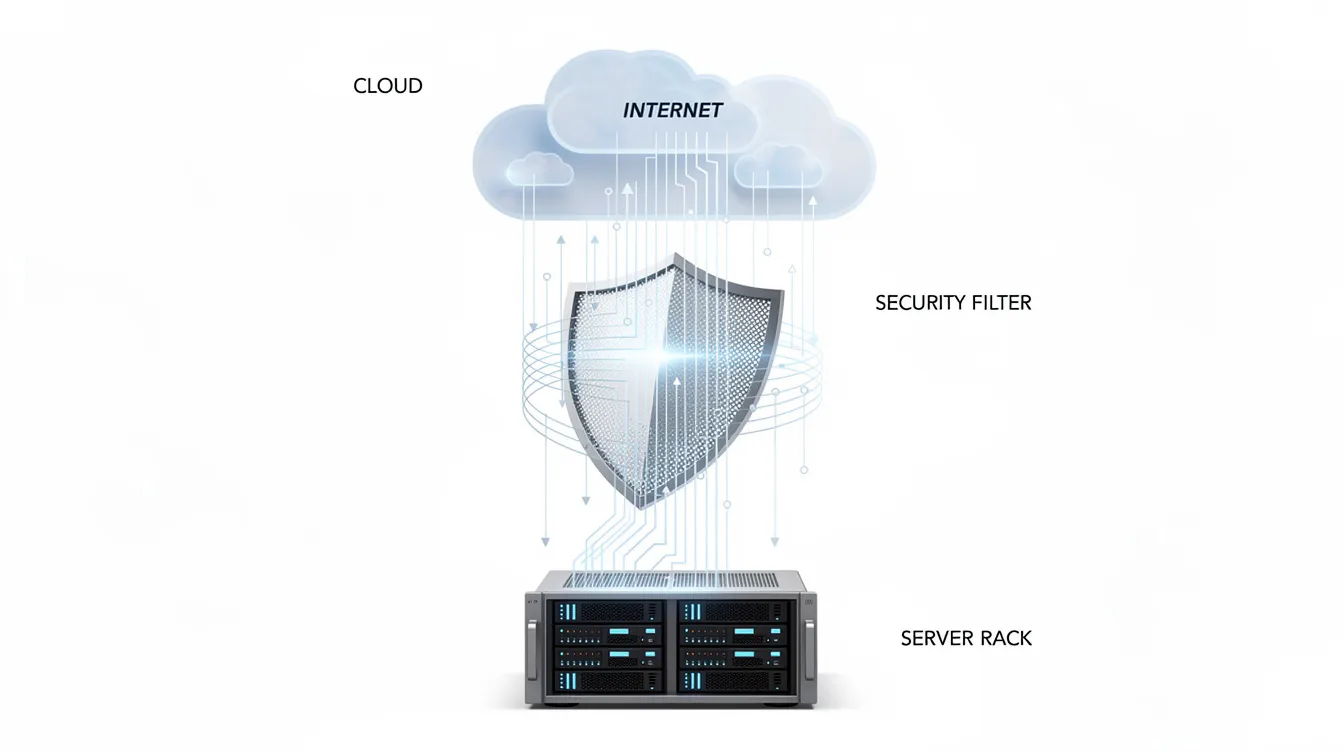
Sucuri operates a cloud based web application firewall that sits between visitors and your website server. You point your domain’s dns records (nameserver or CNAME) to Sucuri’s network, and all HTTP/HTTPS traffic is inspected there before reaching the origin server. Sucuri’s firewall blocks malicious traffic before it reaches a site, provides DDoS attack protection and virtual patching, and caches static content to improve delivery speed. On paper, Sucuri’s cloud-based WAF improves site performance by reducing server load from abusive requests.
On the server side, Sucuri offers a free plugin that monitors file integrity and runs remote malware scans via its SiteCheck API. However, this plugin does not function as a firewall. The paid plans add periodic signature-based malware scanning of files and database, but these scans can miss obfuscated backdoors or novel malware hidden in plugin or theme directories that aren’t visible from public endpoints.
Where users consistently report friction:
- Incomplete malware detection, especially for deeply embedded or polymorphic threats.
- Lack of real-time, in-dashboard WAF logs showing exactly which firewall rules blocked which requests and from which ip address.
- SSL certificate coordination complexities when the WAF sits between visitor and origin.
- The overhead of coordinating malware removal through support tickets rather than self-service cleanup workflows.
Core Criteria for Choosing a Sucuri Firewall Alternative
Instead of swapping tools based on a blog recommendation, define objective criteria for firewall protection and overall website security. Here are the essentials:
- Application firewall WAF effectiveness. Does the WAF cover the OWASP Top 10, including SQL injection, XSS, file inclusion, and authentication bypass? Managed rule sets provide OWASP protection in web application firewalls and should be table stakes.
- Malware scanner quality. Can the scanner detect hidden infections in website files and the database, not just known malware signatures? Behavior-based and heuristic analysis catches what signature-only scanners miss.
- Malware removal speed. When an infection is found, how quickly can you clean it? One-click or guided removal cuts downtime compared to manual diffing.
- Brute force attack defense. Rate limiting on wp-login.php and xmlrpc.php, geo filtering for admin paths, and behavior-based detection to stop brute force attacks from distributed botnets.
- Performance impact. The WAF should absorb abusive traffic and reduce server load rather than adding CPU or IO pressure. DDoS protection is a key feature in many web application firewalls, and it should work without degrading site speed.
- Observability and logging. Real-time dashboards, blocked request visibility by rule and ip address, and alerts for traffic spikes help you understand suspicious activity as it happens.
- Support and incident response. When something goes wrong, response time matters, including SLA-backed support for mission-critical sites.
To ground these criteria in reality: consider a scenario where an attacker launches XML-RPC brute force attempts against your login endpoint. A strong WAF detects the pattern, rate-limits the source, and blocks the ip address at the edge before WordPress even loads. Or imagine a vulnerable plugin with a known SQL injection flaw. Virtual patching deploys a rule that neutralizes the exploit payload, buying you time to update.
Atomic Edge Overview: A Modern Sucuri Alternative Focused on WordPress
Atomic Edge is a WAF-as-a-Service built specifically for WordPress and modern CMS stacks. It runs at the network edge, filtering malicious traffic before it reaches your origin server, PHP, themes, or plugins. This architecture means WordPress never processes a blocked request, which reduces server resources consumed by attacks.
Atomic Edge offers a free version for bloggers and small sites, with paid tiers for high-traffic sites and enterprises. All tiers use the same core WAF engine, meaning even free users get real time protection against common cyber threats.
Its main pillars include:
- A web application firewall tuned to CMS traffic, with rules aware of WordPress and WooCommerce request patterns.
- DDoS mitigation and rate limiting to absorb volumetric and application-layer attacks.
- Geo filtering to restrict access from high-risk regions to admin paths.
- CDN and caching controls with page rules for per-path cache behavior.
- A companion wordpress security plugin for malware scanning and observability inside wp-admin, giving you visibility into WAF logs, blocked requests, and vulnerability scanning results without leaving your dashboard.
Unlike stacking multiple overlapping security plugins, Atomic Edge centralizes firewall rules and logging at the edge. The lightweight plugin handles only what needs to run on the server: malware scanning, activity logging, and security settings management. This keeps server load low and avoids the plugin conflicts that plague sites running three or four security tools simultaneously.
Key Features to Look For in a Sucuri Alternative (with Atomic Edge as Example)
Think of this as a feature checklist. Each capability below addresses a specific gap that drives people away from Sucuri.
OWASP Top 10 and CMS-Aware Rules. Your firewall should block SQL injection, XSS, file inclusion, and authentication bypass out of the box. Atomic Edge’s WAF rules are specifically tuned for WordPress and WooCommerce, understanding endpoints like /wp-json/, /wp-admin/admin-ajax.php, and checkout flows that generic WAFs often mishandle.
Brute Force Attack Defense. Effective brute force protection requires IP-based rate limiting on login endpoints, country-based blocks, and behavior detection that identifies distributed credential stuffing. Atomic Edge applies these controls at the edge, so your website server never wastes cycles on failed login attempts from bad actors.
Malware Scanning Best Practices. A good malware scanner checks both files and database entries, using behavior-based detection rather than only malware signatures. Atomic Edge’s WordPress plugin handles scanning logic with minimal performance impact, identifying malicious code and suspicious file changes without consuming the CPU and IO budget your site needs for visitors.
Integrated Malware Removal. When infections are found, guided cleanup workflows with clear identification of infected files reduce downtime dramatically compared to ad-hoc scripts or waiting on manual ticket-based removal.
Observability. WAF logs, real-time dashboards, blocked request visibility by rule and ip address, and alerts for spikes in blocked traffic are essential. A layered approach to security uses both edge firewalls and server-side plugins for better protection, and observability ties both layers together so you can triage potential problems quickly.

Performance & CDN: Avoiding the Latency Pitfalls of DNS-Only Firewalls
A key complaint driving people from Sucuri is perceived slowness, particularly as Core Web Vitals became business-critical from 2024 onward. Sucuri’s DNS setup adds up to 200ms latency due to extra routing through its cloud network. For a WooCommerce store processing checkout sessions, that overhead directly impacts conversion rates.
A well-architected CDN and WAF can actually speed up your site rather than slow it down. Edge caching of static assets, smart cache rules per path, and minimizing cache bypasses for logged-in sessions all contribute to lower Time-to-First-Byte.
Atomic Edge integrates CDN and cache visibility with page rules, letting you control which URLs bypass cache (like /cart/, /my-account/, /wp-admin/) while aggressively caching static pages and assets everywhere else. Performance levers include HTTP/2 and HTTP/3 support, TLS tuning, geographically distributed edge nodes, and per-path cache TTL settings that reduces server load on the origin.
For comparison, plugin-based firewalls create their own performance issues. Wordfence can spike CPU usage to 45% during scans, and Wordfence’s scanning can cause noticeable frontend lag on shared hosting. MalCare shows near zero performance impact during scans by offloading scan processing to its own servers.
Consider a global WooCommerce store that moved from a DNS-only firewall to an edge WAF with integrated CDN. By caching product pages at the edge and filtering attacks before they hit PHP, the store reduced TTFB in Europe and Asia while maintaining tight site performance and complete protection against automated threats.
DNS Records, SSL, and Deployment Models: Making Migration Practical
Many people hesitate to leave Sucuri because they fear dns and SSL complications. The reality is more straightforward than it seems.
Two common WAF deployment patterns exist. Full DNS delegation changes your nameservers entirely to the WAF provider’s dns service. CNAME-based “cloud mode” points specific hostnames to the WAF via CNAME records, preserving your existing dns provider for other records. Both work; the choice depends on how much control you want to retain.
Moving from Sucuri to another provider like Atomic Edge typically follows this sequence:
- Lower your DNS TTL to 300 seconds at least 24 hours before the cutover.
- Update A or CNAME records to point to the new WAF’s edge network.
- Wait for propagation (monitor with tools like DNSChecker).
- Watch WAF logs for anomalies during the first 24–48 hours.
For SSL handling, modern WAFs issue certificates automatically (Let’s Encrypt style) and support uploading custom ssl certificates on higher-tier plans. End-to-end encryption between the WAF and origin server should be verified to ensure no fallback to insecure connections.
Common pitfalls to avoid: not clearing legacy Sucuri cache, forgetting to revert hard-coded IP addresses in custom code, or leaving old .htaccess rules that reference Sucuri endpoints. These leftovers can cause intermittent access issues or bypass the new firewall entirely.
Security Depth: Virtual Patching, Zero-Day Defense, and Login Hardening
Post-2025 threat trends show that attackers exploit disclosed plugin CVEs within hours, sometimes faster than developers can ship patches. Roughly 96% of new WordPress-related CVEs come from plugins and themes, making virtual patching a critical capability rather than a nice-to-have.
Virtual patching works by deploying WAF rules that block exploitation of known vulnerabilities before the website owner updates the affected plugin. Atomic Edge maintains CVE-aware rule updates tailored to popular WordPress plugins, closing the gap between disclosure and patch. Some services achieve this in as little as four hours, compared to the average 12-day wait for an official plugin patch. Patchstack also focuses on virtual patching for plugin vulnerabilities, making it another option for this specific capability.
Behavior-based rules help catch zero day exploits by analyzing request patterns rather than relying on known malware signatures alone. If a POST request to a file upload endpoint carries an unusual payload structure, behavior-based detection flags it even without a matching signature.
Login hardening rounds out the security picture. Strong brute force rate limiting, optional two factor authentication via the CMS or third-party integrations, IP allowlists for admin routes, and blocking “spray and pray” password guessing protect your most sensitive access points. This approach matters far more than relying solely on periodic server-side scanners or basic .htaccess firewall rules that cannot interpret application-layer context.
For example, when a WooCommerce checkout exploit was disclosed in late 2024, sites using CVE-aware virtual patching had the attack vector blocked within hours, well before most shop owners even knew the vulnerability existed. That kind of proactive protection is what distinguishes modern security features from legacy approaches.
Comparing Popular Sucuri Alternatives: Plugin-Only vs Edge WAF Approaches
Not all “Sucuri alternatives” are equivalent. Some are plugin-only malware scanners, others are full edge WAFs. Understanding the trade-offs prevents costly mistakes.
The two primary security solution categories are edge firewalls and CMS-specific endpoint plugins. Here is how the well-known options position themselves:
- Wordfence operates as a plugin-based firewall and malware scanner. Wordfence’s firewall loads after WordPress, limiting its effectiveness against attacks that target PHP before the plugin initializes. Wordfence’s free firewall updates are delayed by 30 days compared to premium. Wordfence’s local firewall can increase server load, impacting site speed on shared hosting. Wordfence’s scanner may miss newer malware not in its database.
- MalCare uses heuristic and behavioral analysis for malware detection and detected hidden malware in minutes with one-click cleanup. MalCare’s firewall effectively blocks harmful bots and requests at the application layer. It starts as a plugin but offloads scan processing externally.
- Patchstack focuses on identifying and neutralizing plugin vulnerabilities through virtual patching. It does not provide a full WAF or malware removal.
- Jetpack offers monitoring and backup features but lacks firewall protection and cleanup features, making it incomplete as a standalone security solution.
- All-in-One Security provides hardening options, but its scanner only detects file changes, not malware itself.
- CleanTalk is a budget option, but CleanTalk’s malware detection is considered ineffective by users in community discussions.
- Imunify360 offers advanced malware scanning for Linux web servers, making it relevant for server-level protection but not a direct WordPress WAF replacement.
- Cloudflare offers global Anycast CDN and enterprise-grade DDoS mitigation with a strong WAF, though advanced features require higher-tier plans.
- AWS WAF inspects web traffic and protects AWS-hosted applications, suited for teams with infrastructure engineering resources.
- Imperva provides enterprise-grade WAF with compliance readiness reporting, targeting organizations with regulatory requirements.
Plugin-only approaches carry inherent limitations: the firewall loads late in the request lifecycle, malware scanning consumes server resources, and heavy brute force attacks can overwhelm the hosting environment before the plugin can respond.
Edge-based WAF services, including Atomic Edge, filter malicious traffic before it reaches PHP or the CMS. This reduces both risk and resource usage on the origin server. Users moving from Sucuri often prefer to stay in the edge-WAF model rather than falling back to plugin-only firewalls. The choice of firewall depends on traffic volume and website platform. A personal blog has different needs than a store processing thousands of transactions daily.
Managing Multiple Sites and Agencies: When You Outgrow One-Off Security Plugins
Freelancers, agencies, and enterprises managing dozens or hundreds of WordPress installations face a specific set of challenges. Sucuri’s per-site workflows and fragmented dashboards become cumbersome at scale.
With plugin-centric stacks, you end up updating security settings individually on each site, dealing with inconsistent firewall policies, and piecing together malware scanner results from different dashboards across multiple sites. This is neither efficient nor reliable.
A centralized WAF like Atomic Edge can offer agency-friendly features: multi-site dashboards, shared firewall policies, per-site overrides, and unified WAF logs so teams can triage incidents quickly. Bulk operations become possible: updating page rules or geo filtering settings across a portfolio, monitoring brute force spikes on any client site from a single interface, and running standardized alerting workflows.
This centralization also supports better client reporting. Aggregated metrics on blocked attacks, malware scanning results, and website performance improvements give agencies concrete data to demonstrate the value of their security services.
Consider a WordPress maintenance agency managing 80 client sites in 2026. Previously running a mix of Sucuri and Wordfence installations, they switched to a unified Atomic Edge deployment with a single companion plugin across all sites. The result: consistent firewall rules, one dashboard for incident response, and significantly less time spent on per-site configuration. That kind of solid security management at scale is what separates professional operations from ad-hoc setups.
Step-by-Step: Safely Moving from Sucuri to a New Firewall Provider
Every environment is unique, but there is a repeatable high-level process to avoid downtime and data loss when replacing Sucuri.
Phase 1: Audit. Document your existing Sucuri configuration: IP allowlists, CNAME entries, caching rules, and any custom rules you have defined. Note your current SSL settings and certificate expiration dates. Lower your DNS TTL to 300 seconds at least 24 hours before the cutover.
Phase 2: Stage. Connect your site to the new WAF using a test hostname. Validate that pages, login flows, checkout processes, and API integrations work correctly behind the new firewall. Run a malware scanner baseline to confirm the site is clean before cutover.
Phase 3: Cut Over. Update your dns records to point to the new provider. Monitor propagation and watch WAF logs closely for anomalies during the first 24–48 hours. Pay attention to false positives, particularly on dynamic paths like AJAX cart fragments or membership access endpoints.
Phase 4: Clean Up. Clear any remaining Sucuri cache. Disable and uninstall the Sucuri plugin. Remove leftover code in .htaccess or wp-config.php related to Sucuri to prevent conflicts with the new setup. Verify that your origin server only accepts traffic from the new WAF’s IP ranges to protect against direct-to-origin attacks from hackers.
Atomic Edge support can help review rules and rate limiting after migration, giving website owners additional peace of mind during the transition. The goal is to make sure no hacks slip through during the window between removing one firewall and fully activating another.
Cost, Value, and Long-Term Peace of Mind
A sucuri firewall alternative should not be evaluated purely on price. The real comparison is total value: reduced downtime, fewer successful hacks, performance gains, and time saved.
Here is what the landscape looks like in 2026:
- Sucuri’s basic plan costs $229 per year.
- Wordfence starts at $99 per year.
- MalCare starts at $149 per year.
- Jetpack starts at $150 per year.
- Patchstack costs $79 per month for 25 sites (agency-oriented).
- CleanTalk Security starts at $9 per year, though its detection capabilities are limited.
The ongoing costs of dealing with repeated malware infections, developer hours, lost leads, SEO damage, and damage to your brand’s reputation often dwarf the annual cost of reliable comprehensive security. A single incident where your site hacked and serving malicious code to visitors can cost thousands in recovery and lost trust.
Atomic Edge’s free version provides a low-barrier starting point for small sites and personal bloggers. Pro and enterprise tiers add features like custom rules, advanced page rules, geo filtering, CDN controls, and SLA-backed support. For advanced users managing mission-critical sites, the investment in a robust WAF is insurance against the kinds of cyber threats that keep growing in volume.
The peace of mind angle is real: knowing that an expert WAF sits between your site and the internet around the clock, with clear logs and alerts for suspicious activity, matters more than saving a few dollars a month.
Conclusion: Picking the Right Sucuri Firewall Alternative for Your Stack
Sucuri remains a solid legacy choice, but newer edge WAFs and integrated malware scanners often provide stronger protection, better website performance, and a more user friendly design for WordPress and modern CMSs. The landscape has evolved, and your security stack should evolve with it.
When making your decision, focus on how each option handles firewall rules, malware scanner accuracy, brute force attacks, DNS and SSL complexity, and performance impact on your origin server. These are the factors that determine whether your site stays safe and fast under real-world conditions.
Atomic Edge fits as a practical, modern alternative: WordPress-aware rules, CVE-aware virtual patching, edge-first firewall protection before WordPress loads, and a companion plugin for malware scanning, vulnerability scanning, and observability. It delivers complete protection without requiring you to become a dns or server administration expert.
Start by testing with a staging site or low-risk property. Once you have validated both site speed and security outcomes, roll out across your production sites. Build a short checklist from the criteria in this guide, compare two or three providers including Atomic Edge against it, and plan a phased migration if Sucuri no longer meets your needs.